Know what
you eat.
Snap a photo. Scan a barcode. Describe your meal in words. CaloWise uses AI to log calories and macros in seconds — so you can focus on the goal.
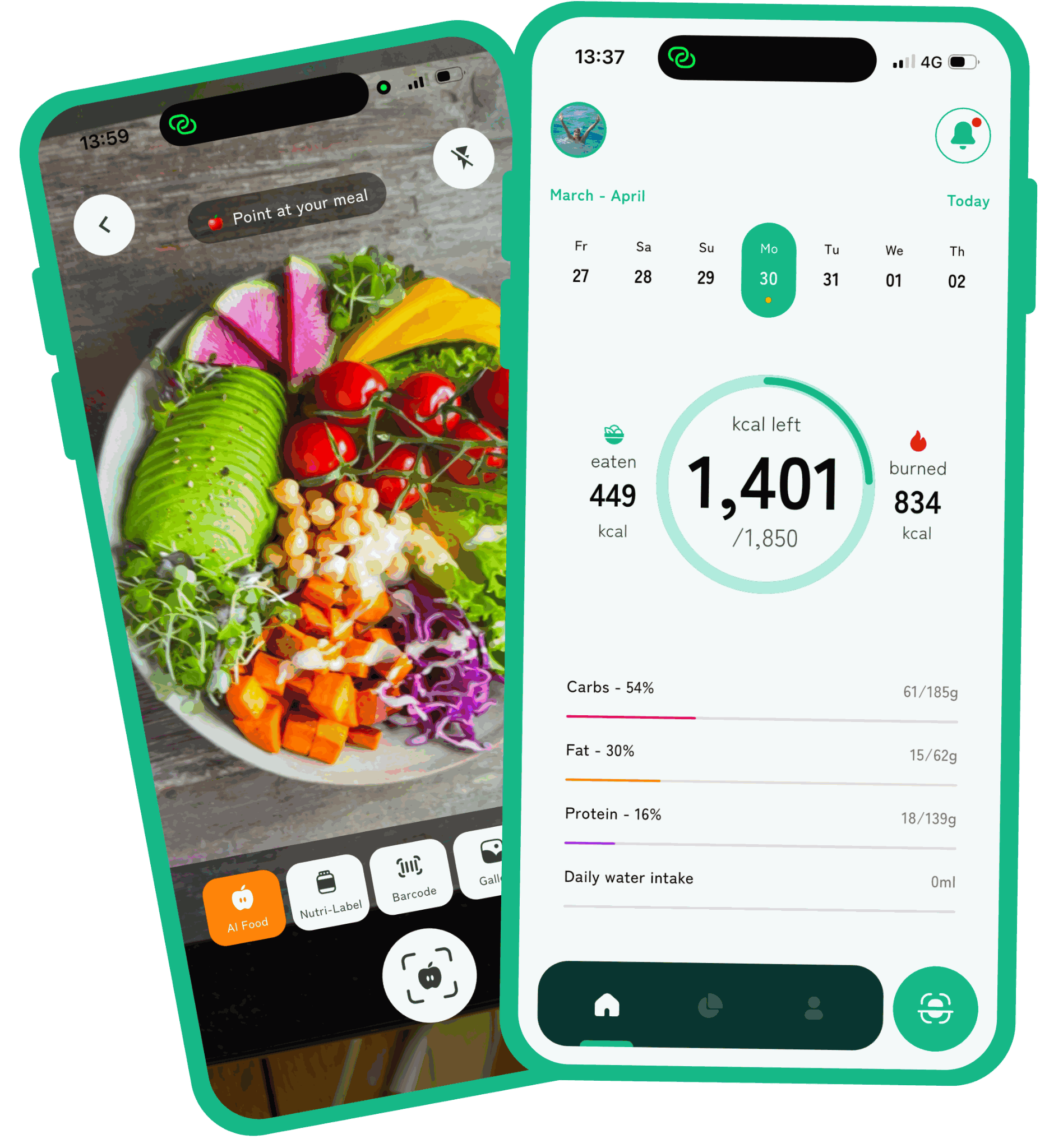
Snap a photo. Scan a barcode. Describe your meal in words. CaloWise uses AI to log calories and macros in seconds — so you can focus on the goal.
CaloWise meets you wherever you eat — a packaged snack, a home-cooked bowl, or a restaurant plate you can barely describe.
Point your camera at any meal. AI identifies every ingredient, estimates portions, and logs calories and macros in seconds — no manual entry, no database search.
Scan any packaged product. Powered by Open Food Facts — millions of items including European brands, instantly logged with full macros.
Steps and active calories flow in, weight and logged calories flow out. Burned calories are automatically added to your daily allowance.
Photograph the back of any pack. CaloWise reads the nutrition facts label and creates the log entry automatically — no typing required.
Log weight, watch trends, and track your streak. Charts show the real long-term trend — not daily noise that derails your motivation.
No spreadsheets. No measuring spoons. Just a few taps and you're tracking.
Tell CaloWise about yourself — age, weight, activity level, and target. It calculates your daily calorie and macro targets using the Mifflin-St Jeor equation.
Photo, barcode, label scan, or just describe your meal in words. Pick whichever is closest. Each method takes seconds — the AI does the rest.
Your calorie ring, macro bars, weight chart, and streak all update in real time. You always know exactly where you stand.
CaloWise analyses food photos using Claude, Anthropic's AI model, via a secure backend. It identifies the foods in the image, estimates portion sizes, and calculates nutritional information. For best results, take clear photos with good lighting and make sure all items are visible in the frame.
Your daily target is calculated using the Mifflin-St Jeor equation, one of the most validated methods for estimating energy needs. Individual metabolism can vary by 10–15%, so we recommend adjusting based on real results over 2–3 weeks. AI photo estimates are typically within 10–15% of the actual value.
Different apps use different formulas. CaloWise uses Mifflin-St Jeor with activity multipliers and goal-based adjustments. The progress speed you choose also affects your daily target.
Yes. Update your progress speed at any time in Account → Profile. Your calorie and macro targets recalculate automatically.
If results aren't showing after 2–3 weeks of consistent tracking, check that your activity level is accurate, double-check portion sizes, or switch to a more aggressive progress speed.
CaloWise enforces minimums of 1,200 kcal (women) and 1,500 kcal (men) based on nutritional guidelines. If you want faster results, increase activity rather than cutting calories below these levels.
Yes. Tap any meal on your home screen, then edit portion sizes, change the food item, or delete the entry entirely.
You can edit any recognised item before saving — change the food type, adjust the portion, or remove it from the log.
Burned calories from workouts or synced from Apple Health are added to your daily allowance. If your goal is 1,600 kcal and you burn 300 kcal, you can eat up to 1,900 kcal that day.
CaloWise reads: weight, steps, active calories burned, and basal metabolic rate. It writes: weight entries logged in the app. All syncing requires explicit permission and can be revoked at any time in iOS Settings → Privacy & Security → Health.
Check that CaloWise has permission in iOS Settings → Privacy & Security → Health → CaloWise. Also ensure Apple Health is receiving data from your device or connected fitness apps.
Yes. All data is transmitted over HTTPS and stored encrypted at rest in Firebase. Food photos are processed by AI and not retained after analysis — they are never stored on our servers. Your data is never sold to third parties. See our Privacy Policy.
Go to iOS Settings → [your name] → Subscriptions. Cancel there — no questions, no friction. Your access continues until the end of the billing period.
Contact us through the Feedback & Support section in the app. Account deletion is permanent and removes all associated data.
Download CaloWise and log your first meal in under a minute.
Download on the App Store